Step 1 — Import
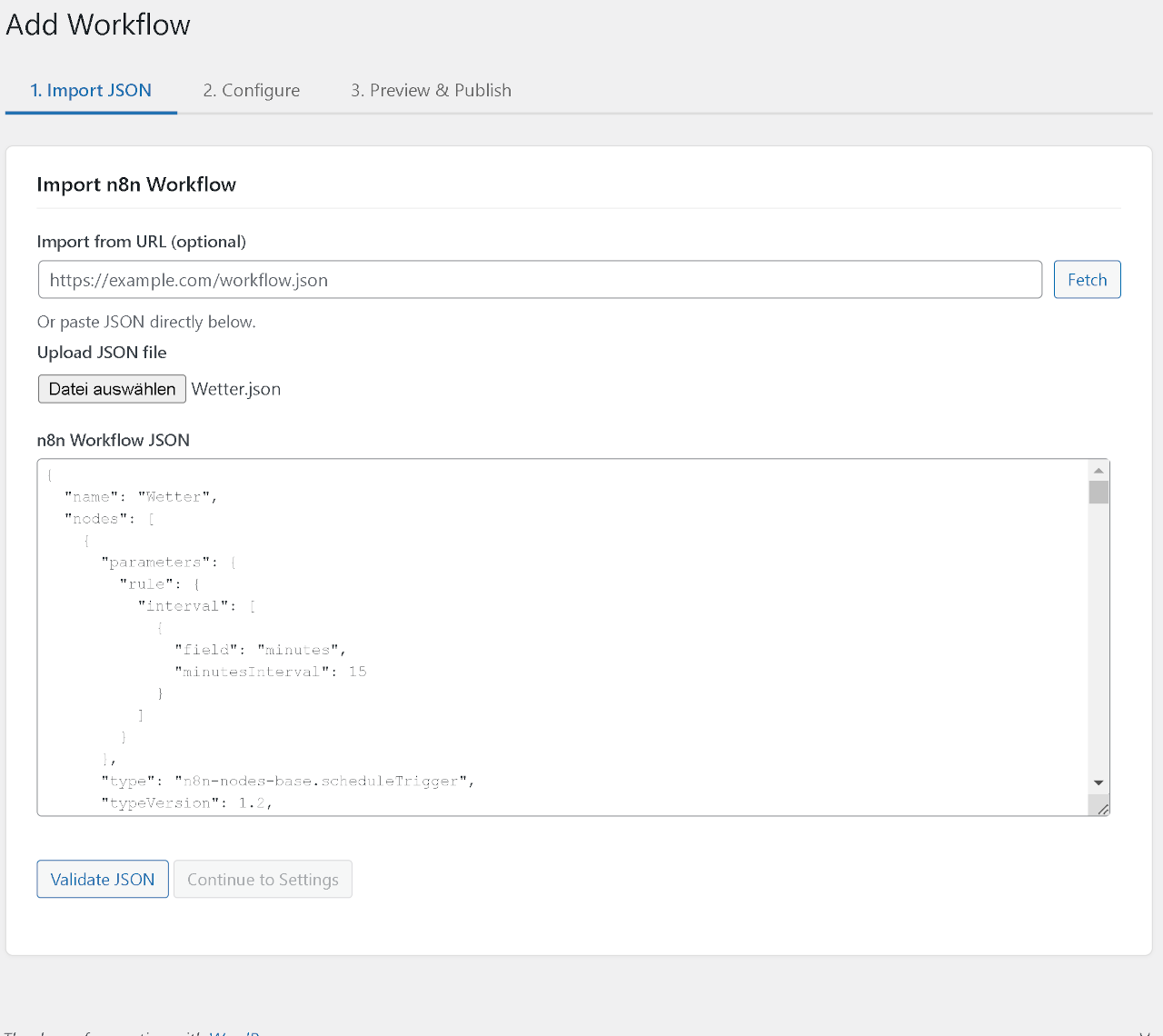
Paste the JSON directly, upload a .json file, or fetch it from any public URL. BreznFlow validates the structure before letting you continue — broken workflows never make it into your WordPress.
Six screens from the plugin — the full editor journey from JSON import to published diagram. Or spin up a live WordPress right in your browser and click through yourself.
A full WordPress instance boots up right here — BreznFlow pre-installed, demo workflows already imported. Nothing is uploaded, nothing is stored. Close the tab and it's gone.
From the first JSON paste to the published frontend — this is the complete editor flow.
Paste the JSON directly, upload a .json file, or fetch it from any public URL. BreznFlow validates the structure before letting you continue — broken workflows never make it into your WordPress.
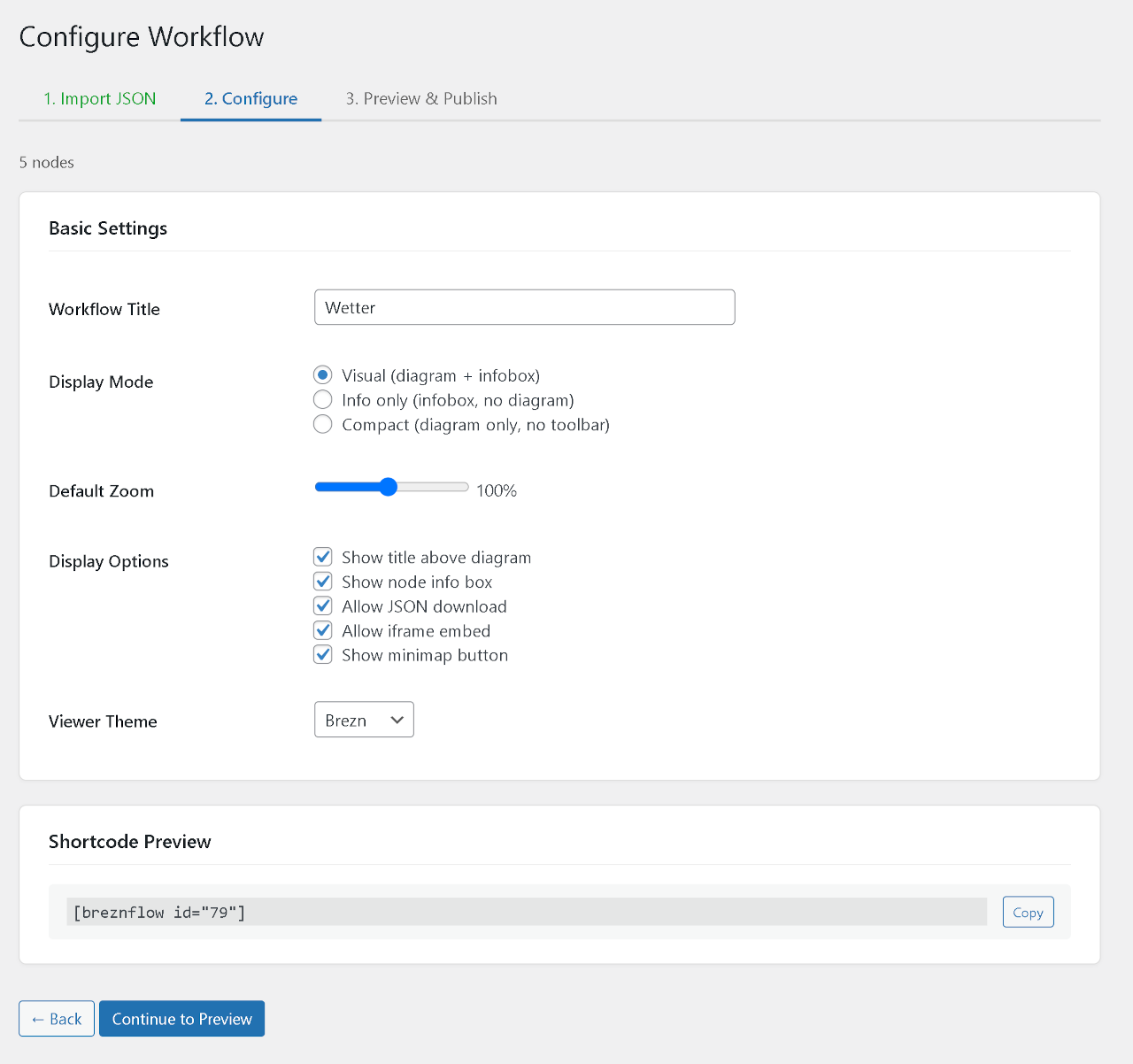
Pick display mode (visual / info / compact), default zoom, theme, and which actions visitors can perform. The shortcode preview updates live — copy and paste into any post.
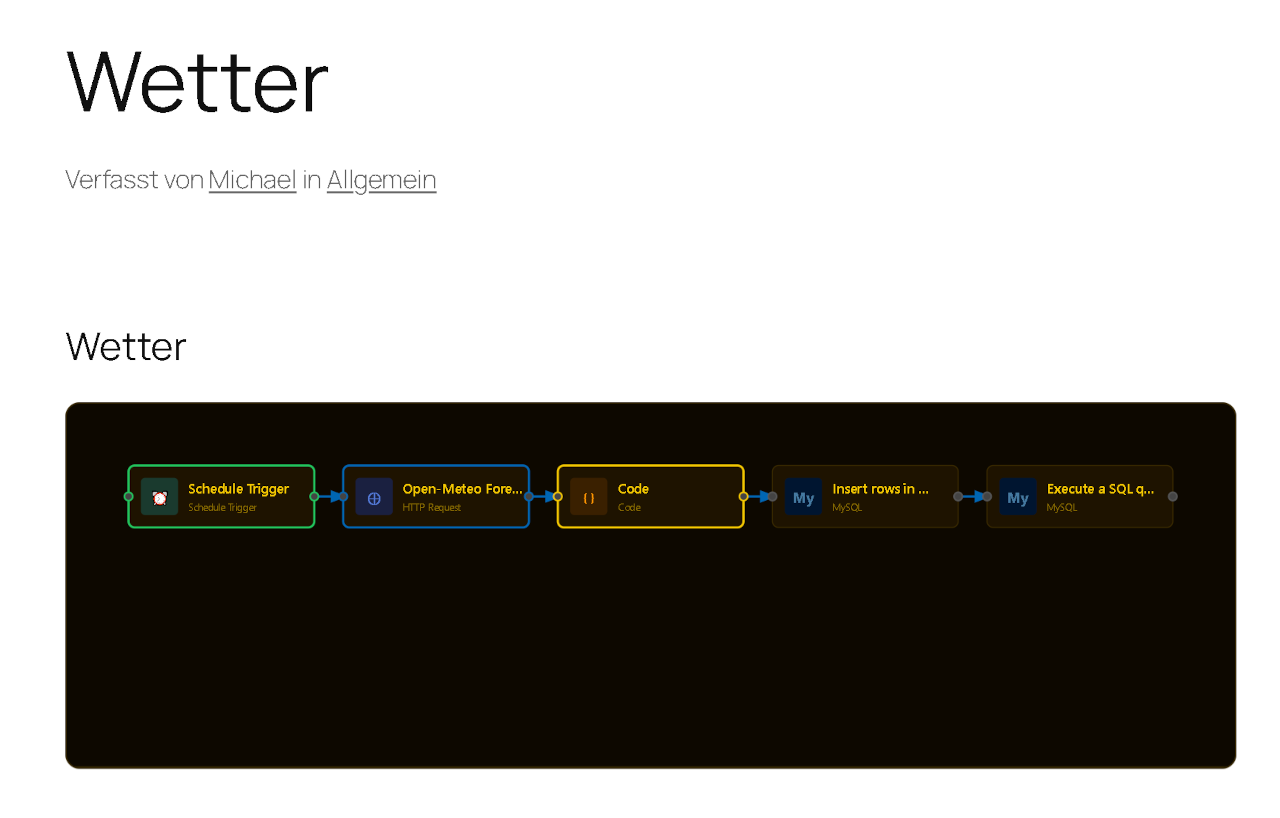
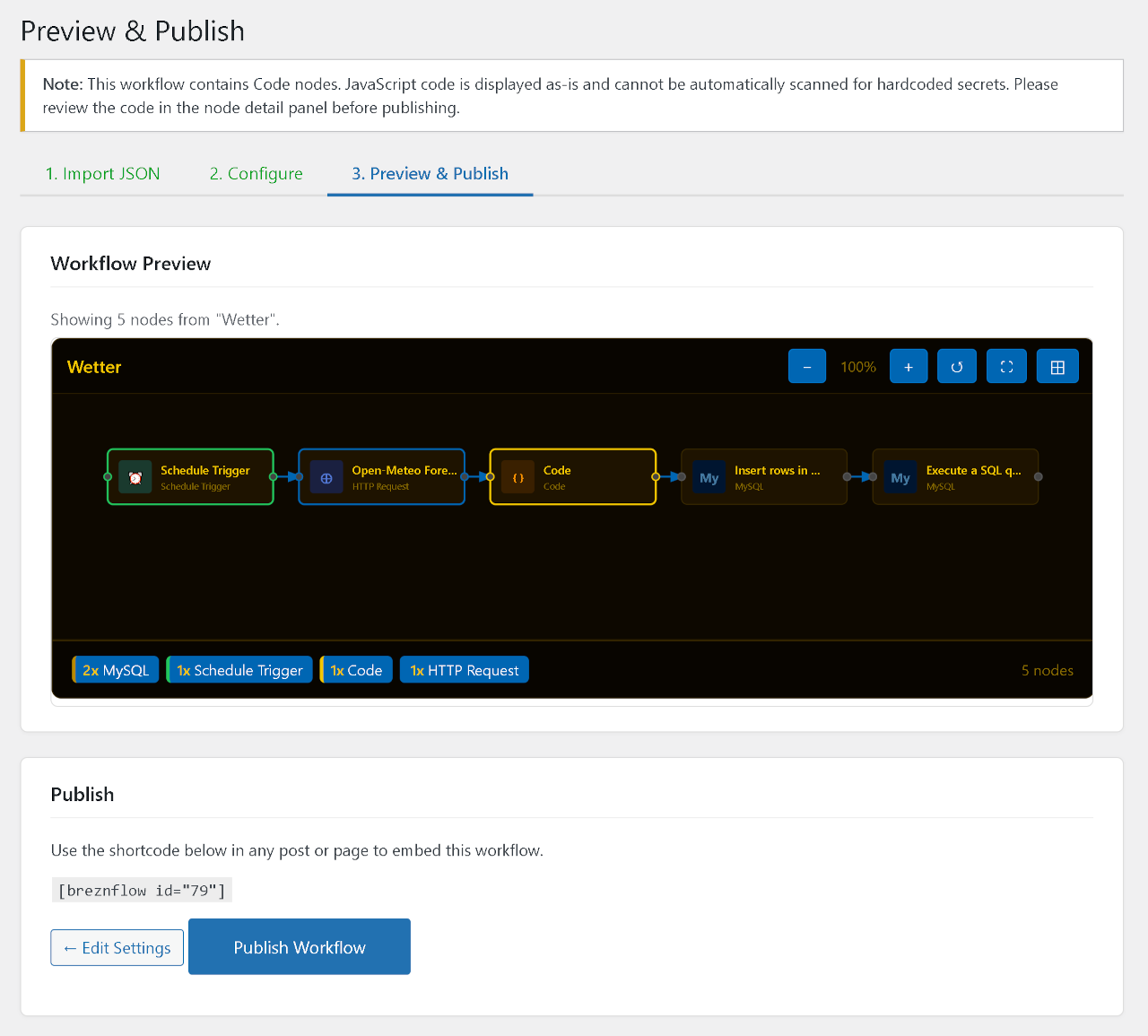
See the rendered SVG before you publish. A security summary lists every credential, API key, and authorization header BreznFlow masked during import — so you know exactly what leaves your admin.
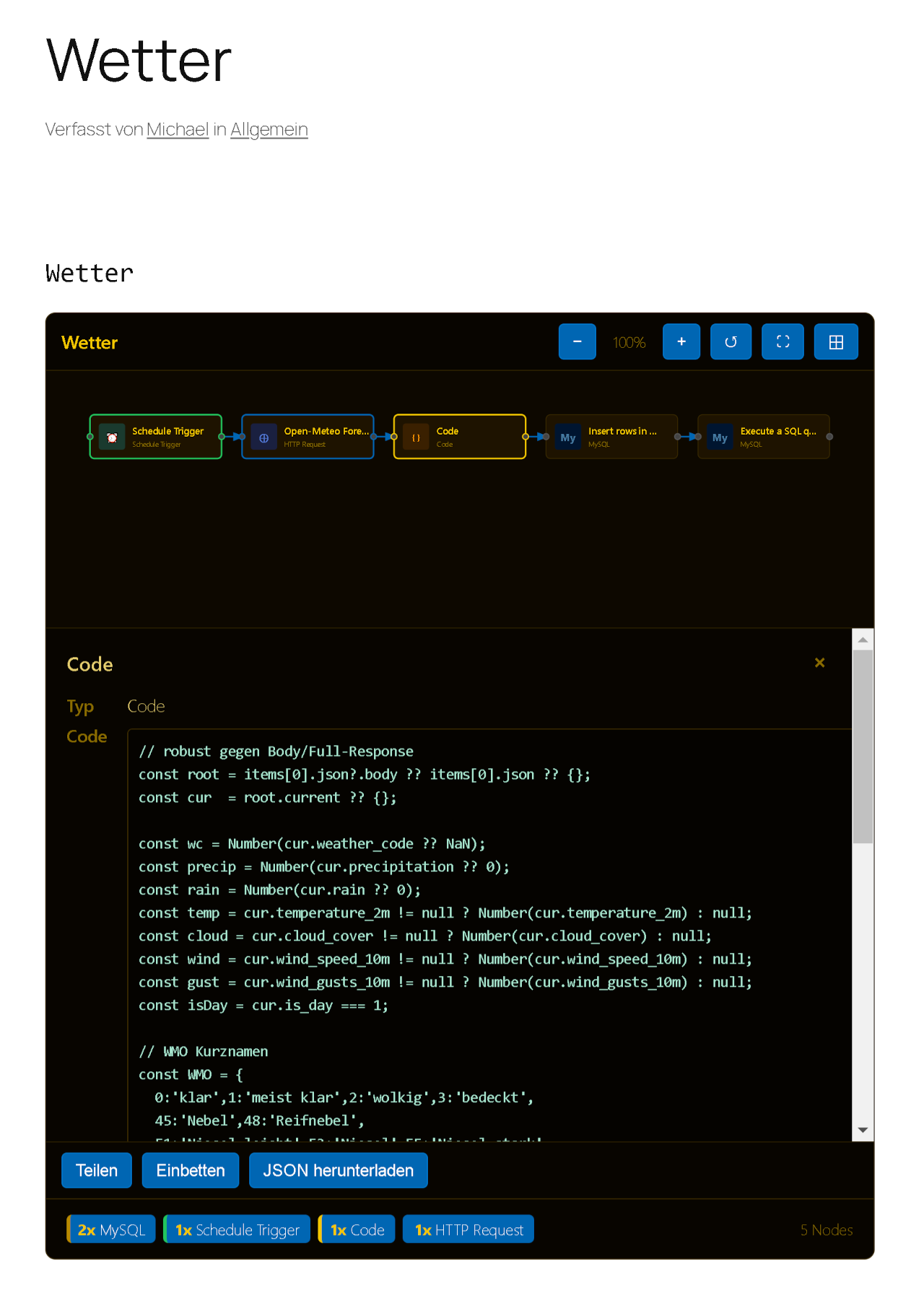
Click any node to open a detail panel with parameters, code snippets, and the category color. Zoom with the mouse wheel, pan by dragging, pinch-zoom on touch devices. All rendered as SVG — sharp at any scale.
Not every post needs a full canvas. Switch to mode="info" for a node-list summary, or mode="compact" to drop the toolbar. Perfect for sidebars, inline summaries, or long-form articles.
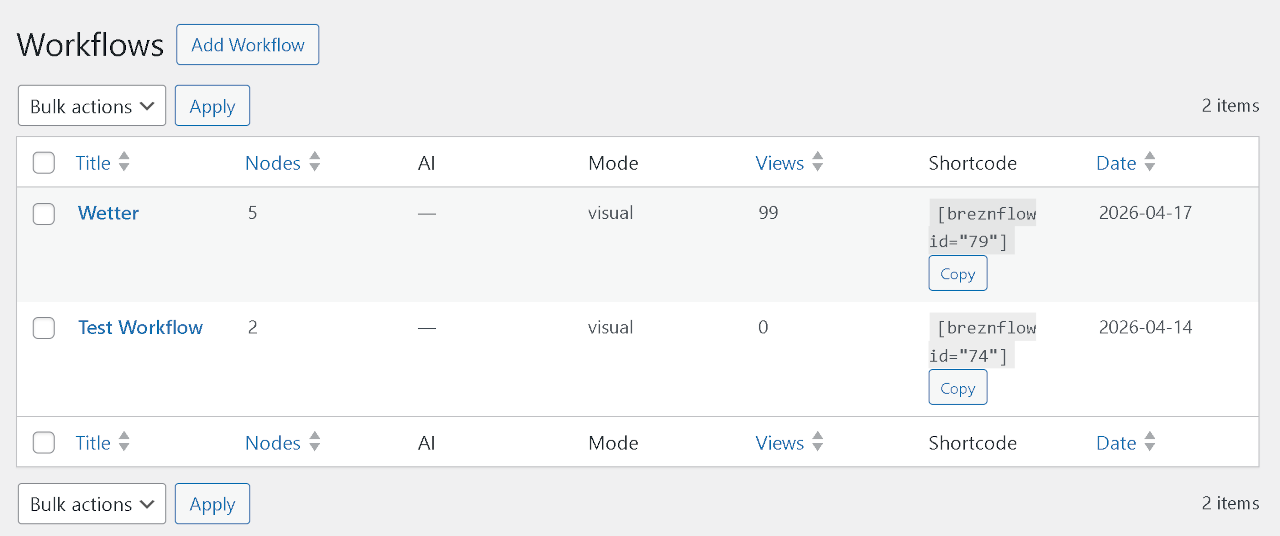
All your workflows in one table — node counts, theme, status at a glance. One-click shortcode copy. Edit, duplicate, or delete without leaving the list.
Install from WordPress.org, or kick the tires in the live browser demo first.